
| Type | Block (Pipe) |
| Stackable | Yes (64) |
| Tier | Tier 3 - Network |
| Added | v0.2.0 |
Chassis Logistics Pipe
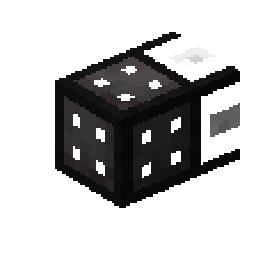
The Chassis Logistics Pipe is a Tier 3 modular network pipe. It acts as a carrier for modules, which define its behavior. Each chassis mark (MK1–MK5) holds a different number of module slots, allowing you to combine multiple functions in a single pipe.
Variants
| Variant | Module Slots | Valve Type |
|---|---|---|
| MK1 | 1 | Iron Valve |
| MK2 | 2 | Bronze Valve |
| MK3 | 3 | Gold Valve |
| MK4 | 4 | Diamond Valve |
| MK5 | 5 | Netherite Valve |
Higher-mark chassis pipes hold more modules and are crafted from more valuable materials, but otherwise behave identically — behavior is entirely determined by installed modules.
Recipes
MK1 Recipe

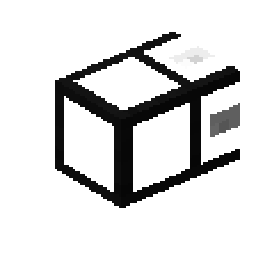 1
1
MK1: 4× Iron Valve (cross) + 1× Basic Logistics Pipe → 1× Chassis Logistics Pipe MK1
MK2 Recipe

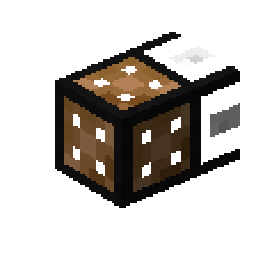 1
1
MK2: 4× Bronze Valve (cross) + 1× Basic Logistics Pipe → 1× Chassis Logistics Pipe MK2
MK3 Recipe

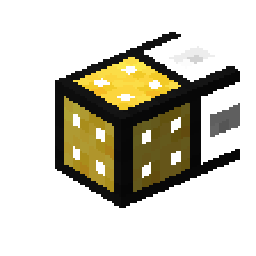 1
1
MK3: 4× Gold Valve (cross) + 1× Basic Logistics Pipe → 1× Chassis Logistics Pipe MK3
MK4 Recipe

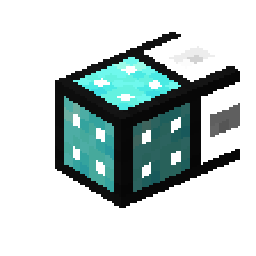 1
1
MK4: 4× Diamond Valve (cross) + 1× Basic Logistics Pipe → 1× Chassis Logistics Pipe MK4
MK5 Recipe

 1
1
MK5: 4× Netherite Valve (cross) + 1× Basic Logistics Pipe → 1× Chassis Logistics Pipe MK5
Behavior
The Chassis Logistics Pipe is an empty frame until modules are installed. Once a module is inserted into a slot, the pipe gains that module's behavior. Multiple modules can run simultaneously within the same pipe, making the chassis an efficient way to combine multiple logistics functions at one location.
Key features: - Modular design — behavior is fully defined by installed modules - Each mark provides a different number of module slots (MK1=1, MK2=2, MK3=3, MK4=4, MK5=5) - Participates in the logistics network as a full Tier 3 node - Modules can be swapped in and out without breaking the network
Configuration
Use a Wrench to open the GUI:
Module slots: The number of slots matches the chassis mark. Click a slot to insert or remove a module. Each module occupies one slot and contributes its behavior to the pipe.
Per-module settings: Some modules have their own configuration sub-GUI accessible by clicking the module icon in the chassis GUI.
Tips
- Start with MK1 for a single-function logistics point — upgrade to higher marks when you need more behaviors at the same location
- Combine an Extractor Module with a Provider Module in an MK2 to extract items from an inventory and advertise them to the network simultaneously
- MK5 is expensive but enables a single pipe to run 5 different modules — ideal for a central logistics hub
- You can upgrade chassis marks by crafting the higher variant; the old chassis pipe can simply be removed and replaced
See Also
- Modules Overview - All available modules for the chassis
- Blank Module - Base component for crafting modules
- Basic Logistics Pipe - Required crafting component
- Provider Logistics Pipe - Provider behavior as a standalone pipe
- Pipe Networks - How the logistics network works
- Tier System - Tier 3 network logistics
- Wrench - Insert/remove modules and configure
- Valves - Crafting components for all chassis marks